
Compare the Snapmaker U1, Creality K2 Plus Combo and a laser-workshop alternative by the work each setup is built to handle.
Choosing a machine from 3D Prima starts with a practical question: are you buying for multi-colour prints, larger parts, or a different kind of making altogether? The catalogue brings together printers, materials and workshop tools, so a headline feature alone does not settle the choice.
We reviewed the UK store’s product pages and specifications for this comparison. They point to two very different FDM printer priorities: fast tool changes on the Snapmaker, and a larger enclosed build space on the Creality. We also include an engraving option and filament choices because they can change what a complete setup can do.
Heads-up: we earn a commission from some links in this article. It never changes the price you pay.
What you need to know
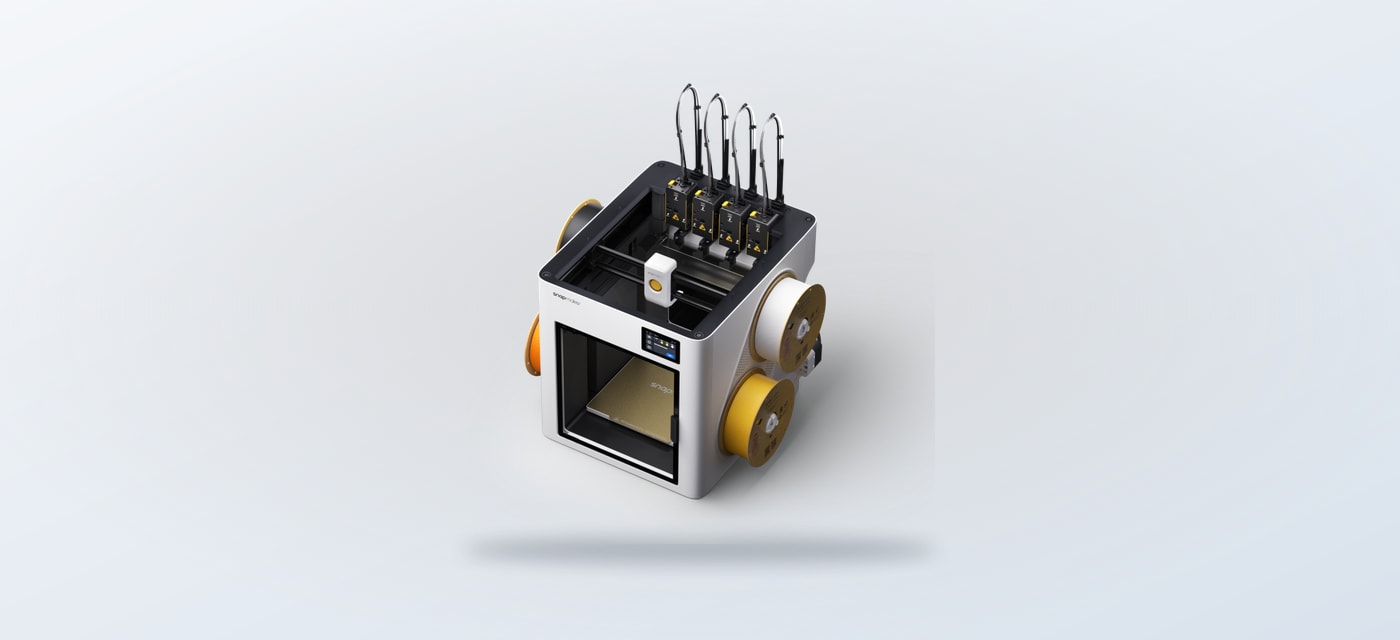
- Snapmaker U1 is the multi-colour and multi-material choice, using four independent toolheads in a 270 × 270 × 270 mm build volume.
- Creality K2 Plus Combo prioritises scale, with a 350 × 350 × 350 mm volume and an enclosed chamber that can be heated.
- Aliencell X1 is a diode laser engraver, so it suits a different workflow from either FDM printer.
- For everyday parts, compare PrimaCreator Value PLA+ with PolyLite PETG based on strength, heat and print settings.
| Option | What stands out | Best fit |
|---|---|---|
| Snapmaker U1 | Four independent toolheads; 270 × 270 × 270 mm build volume | Multi-colour and multi-material prints |
| Creality K2 Plus Combo | 350 × 350 × 350 mm volume; heated enclosed chamber | Large parts and batch work |
| Aliencell X1 | Diode laser engraving with camera-assisted positioning | A separate engraving workflow |
The U1 changes colour workflows with four toolheads
The Snapmaker U1 makes the clearest case when a project regularly switches between materials or colours. Its four independent toolheads use SnapSwap technology; 3D Prima lists a roughly five-second toolhead change and says the system can reduce purge waste by up to 80 percent. That is useful for models with multiple colours or support material, where a single-nozzle alternative can spend time and filament on changes.
The listed build volume is 270 × 270 × 270 mm, with a maximum print speed of 300 mm/s depending on material. Automatic mesh bed levelling, input shaping and pressure advance are included in the specifications. In practical terms, the appeal is convenience across varied prints, not sheer size. At 499 × 584 × 730 mm overall, it still asks for a dedicated footprint and clear access around it.
For buyers who mostly print single-colour functional parts, several of those toolheads may be capacity that sits unused. The page also notes that the chamber can be open or closed, so confirm material needs and the supplied configuration before choosing it for temperature-sensitive work. This is the best fit for colour flexibility, provided the workflow will use it.
The K2 Plus Combo gives larger projects more room
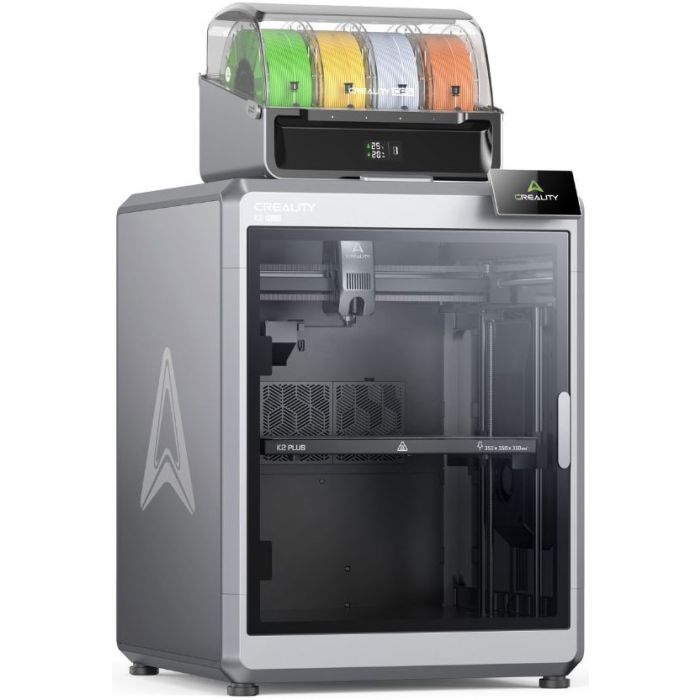
The Creality K2 Plus Combo is the more natural match for oversized parts or several smaller objects in one run. Its listed 350 × 350 × 350 mm build volume is substantially larger than the U1’s, and the product page describes an enclosed chamber that heats to 60°C. That combination may help reduce warping with more demanding engineering materials, although it also means a larger machine and a more involved setup.
Creality’s Color Filament System is part of the Combo proposition. The store says the system can support up to 16 colours when paired with four CFS units, with one included and additional units sold separately. It also describes filament switching, airtight storage and RFID detection with compatible Creality filament. Buyers should check precisely what is included in the selected listing: the multi-unit maximum is an expanded configuration, not the base package.
Against the Snapmaker U1, the K2 Plus makes more sense when build size comes first and the buyer wants the option to grow into multi-colour printing. The trade-off is floor space and configuration complexity. A buyer who needs compact multi-material work may prefer the U1, while someone making larger prototypes should start with the K2’s volume.
- Choose the U1 for frequent tool changes and modestly sized, multi-colour models.
- Choose the K2 Plus for larger parts, batches and an enclosed chamber.
- Check the bundle for the exact CFS quantity and compatible materials before ordering.
The Aliencell X1 serves engraving rather than printing
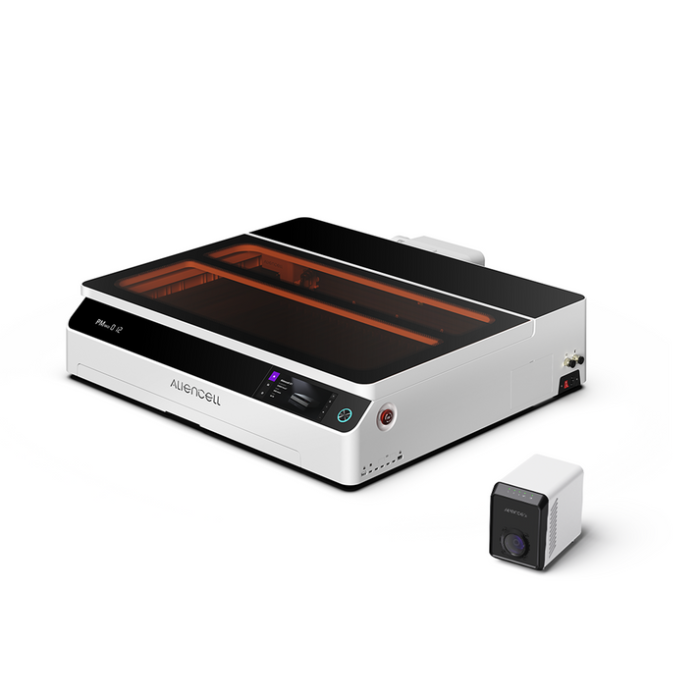
The Aliencell X1 40W Diode Laser Engraver with Air Assist Pro is not a substitute printer. It belongs on the shortlist only if the workshop also needs to engrave or cut suitable sheet materials. The store lists 20W, 40W and 60W module options across the X1 range, up to 600 mm/s engraving speed, dual 8 MP cameras for previews and alignment, and a touchscreen for direct control.
That makes it a different kind of investment from either FDM machine: it handles a separate process and calls for its own materials, safety setup and workspace. It may complement a printer-led workshop, but it will not produce the layered plastic parts a Creality K2 Plus Combo or Snapmaker U1 is designed for. Treat it as a separate craft-tool choice, not a third printer competitor.
Filament can matter as much as the machine
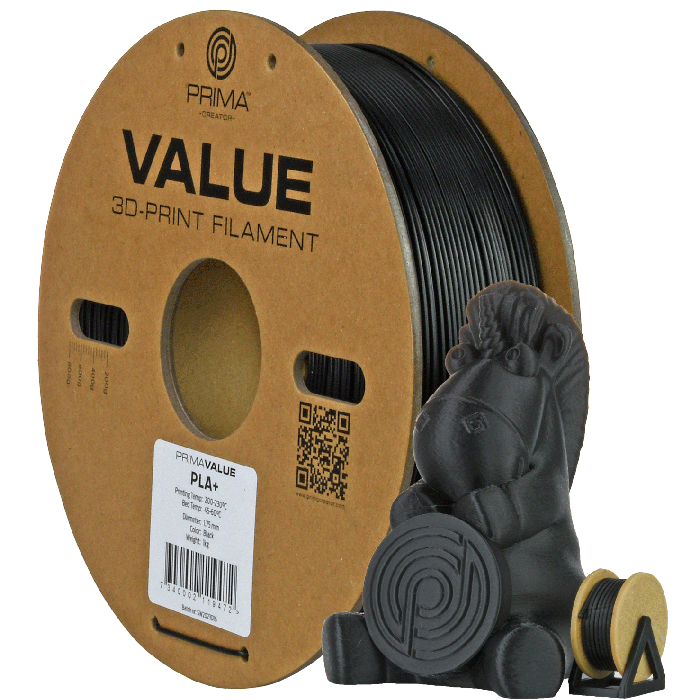
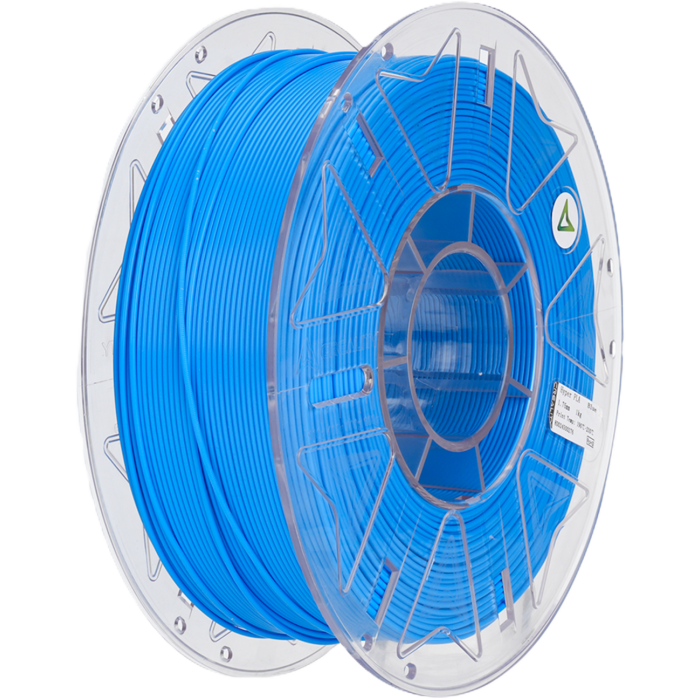
A capable printer still needs material suited to the part. The store positions PrimaCreator Value PLA+ as a general-purpose option for prototypes and functional prints, with a recycled paper spool and low-odour printing claim. That makes it a reasonable starting point for models where straightforward printing and iteration matter more than heat resistance.
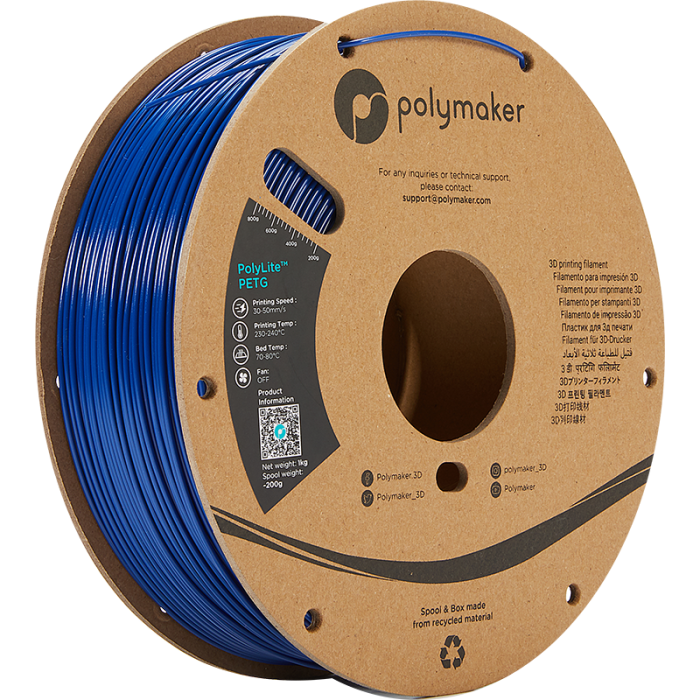
For tougher everyday pieces, Polymaker PolyLite PETG Blue is described as sitting between stiff PLA and impact-resistant ABS. The page gives a nozzle range of 230 to 240°C and a bed range of 70 to 80°C, with lower cooling recommended for strength. These settings make it a more considered material choice; confirm the printer’s compatibility and tune settings for the exact machine.
Creality RFID Hyper PLA is another option if you choose the CFS workflow: the K2 Plus Combo page describes RFID filament detection. The store lists compatible material pages such as Creality RFID Hyper PLA, but buyers should check the particular spool format and system compatibility. The convenient route is not automatically the best-value route when the material range is narrow.
- PrimaCreator Value PLA+: favour it for general prototypes and routine models.
- PolyLite PETG: consider it where the part needs a different balance of strength and heat tolerance.
- Creality RFID Hyper PLA: check it when pairing material with the Creality CFS system.
When comparing total setup cost, weigh the printer tier, extra CFS units, filament type and any enclosure or ventilation needs. The store’s product and delivery pages are the right place to check current options, bundle contents and fulfilment details; we are avoiding fixed prices because they change.
Is the U1 or K2 Plus the better 3D Prima choice?
For a buyer whose prints need several colours and who values automated tool changes, we would start with the Snapmaker U1. For larger parts or batch work, the Creality K2 Plus Combo is the stronger fit on paper, with the important caveat that advertised multi-colour capacity depends on additional CFS units. If engraving is the actual goal, choose the Aliencell X1 as a separate tool, not as a printer alternative.
One limitation spans all three: product specifications cannot tell us how a machine will fit a particular room, material habit or maintenance tolerance. Check dimensions, exact bundle contents and compatible consumables on each listing before deciding. For most first-time buyers, the best starting point is the machine that matches the next real project, then a material that meets its strength and heat requirements.